
Improved error notification
At 10:00 am on October 18, 2023, we will introduce an update to our error notifications. In this article, we will explain the changes and how the notifications that you will receive from then on are designed.
Previously, one error notification was sent via email per message that failed due to misconfiguration or technical reasons. As a result, customers with a high message volume in particular received a large number of notifications. These notifications were classified as spam in case of doubt. In addition, the individual notifications per failed message offered little added value because many notifications pointed to the same cause of the error or the underlying error had a technical cause that could be quickly resolved.
In the future, the messages per error type will therefore be summarized in the error notifications. A distinction is made between the following types of errors:
- “Temporarily undeliverable”: In this case, the system continues to attempt to deliver the message within the specified validity period. If a message is temporarily undeliverable, the cause may be, for example, that a certificate was not replaced in time.
- “Not deliverable”: In this case, there is no possibility to deliver the message due to a misconfiguration or technical reasons. Therefore, no new delivery attempt will be made. Such an error can occur, for example, if the GLN of the recipient is not available.
One notification is sent per error type at the specified interval. Depending on the setting of the interval, all messages that fail within e.g. 10 minutes are combined in one error notification. The two error types are not mixed here. As before, detailed monitoring and further information on the individual causes of errors can also be found in the app “B2B Routing”.
The following example makes the optimization clear: If, for example, 8 messages with two different error causes are “undeliverable”, you will see the following overview in the error notification:
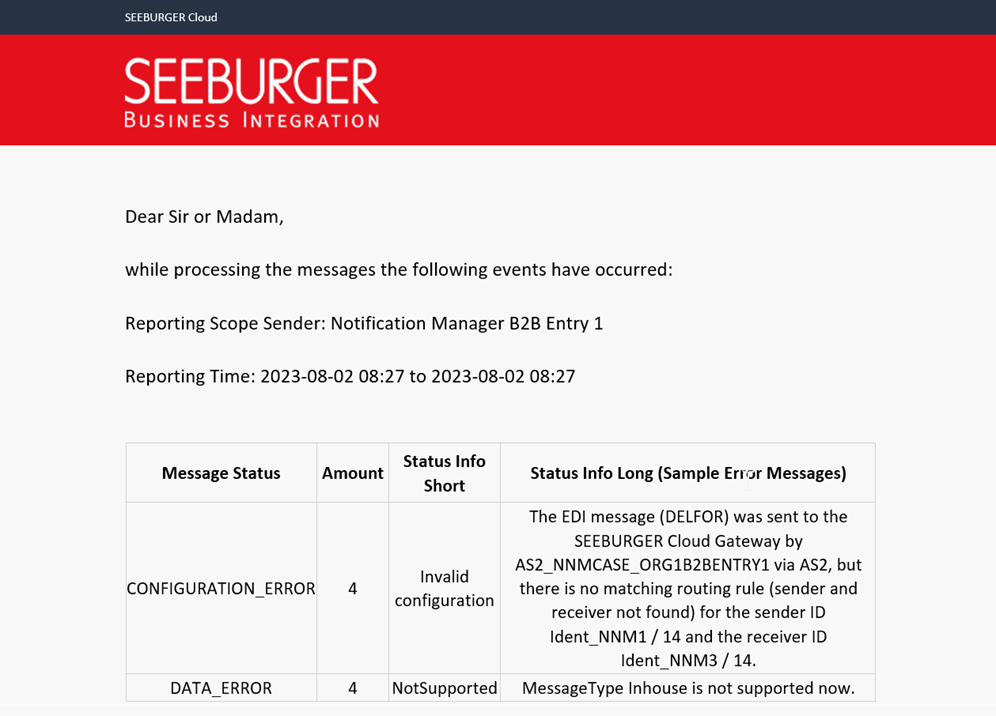
Previously, 8 individual emails would have been sent. If the messages were sent again after 10 minutes and the error persisted, the same error notification would be sent to you again.
The same applies to messages that are “Temporarily undeliverable” with the added benefit that no error notfications are generated at all if the messages can still be delivered within the 10 minutes. See example below for more details.
Important note: As soon as additional messages are added whose delivery fails, or the status of the previously failed messages changes, a new error notification is sent, even if the specified sending interval has not yet been exceeded.
Example:
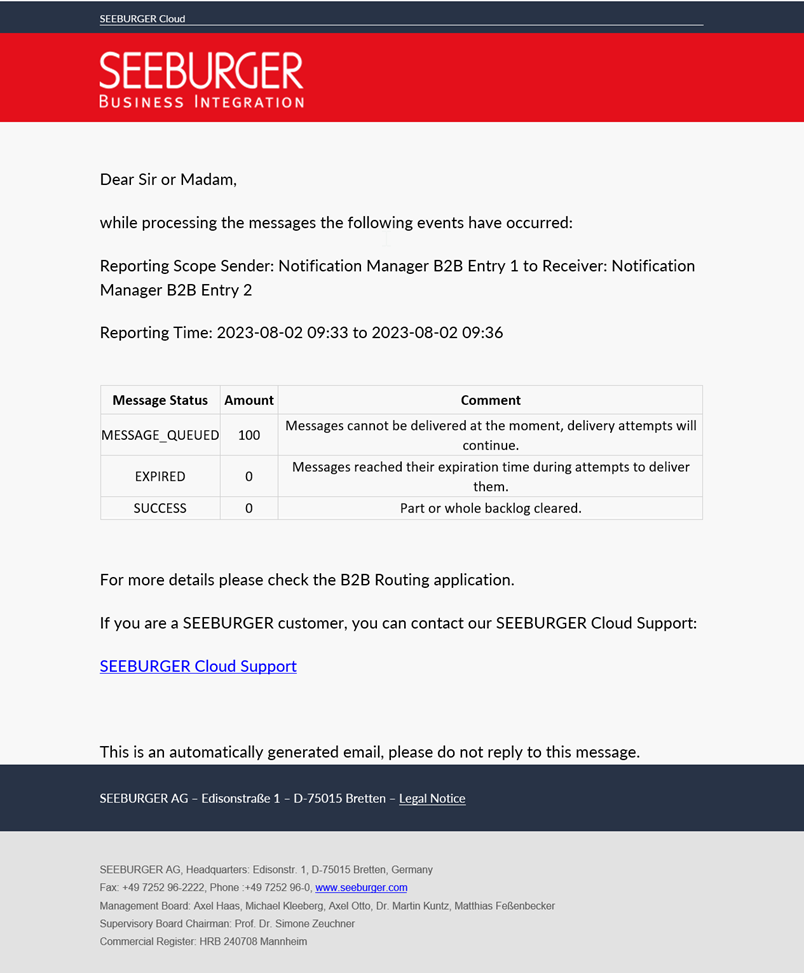
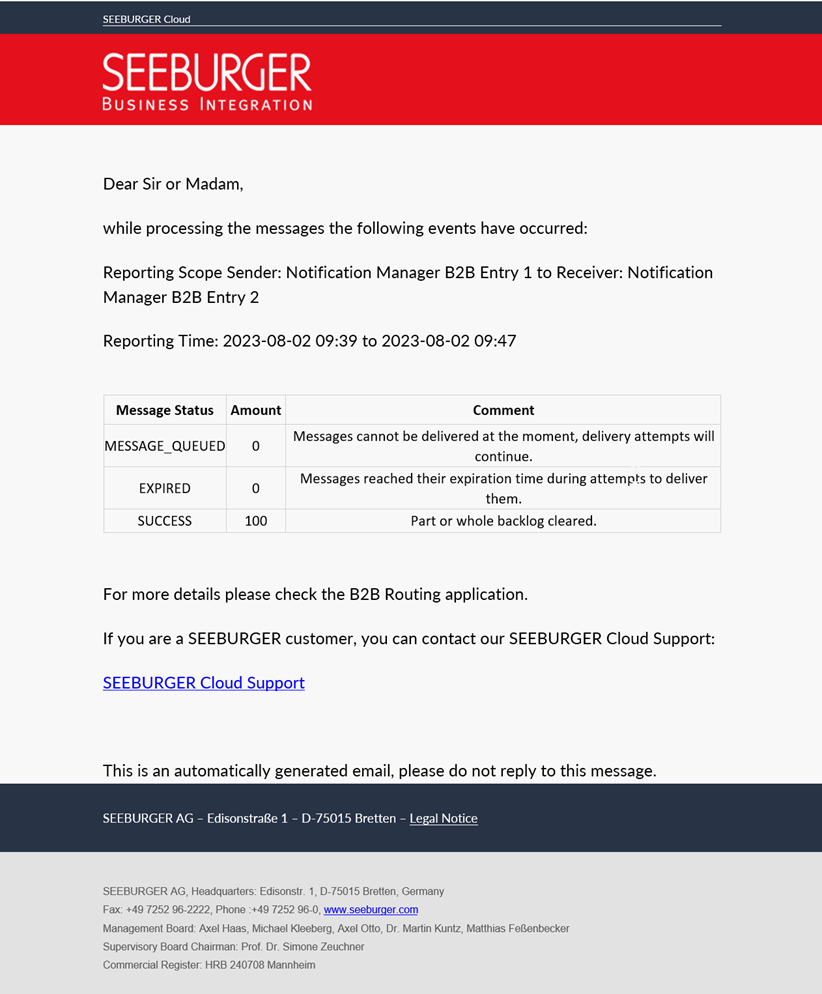
100 messages are sent in a very short time. The validity period is set to 4 days by default. The recipient is not reachable.
Previously, this would have generated 100 error notifications within about 3 minutes and another 100 error notifications after the expiration of the validity period of 4 days without delivery.
In the future, significantly fewer error notifications are generated, e.g.:
- 0 error notifications when messages are delivered within 10 minutes
- 2 error notifications when messages are delivered within 20 minutes (see screenshots at the end)
- 9 error notifications when messages are not delivered within their validity period
Sergej Frank (s.frank@seeburger.de) will be happy to answer any questions you may have.