
MaKo Cockpit: Closing errors
To enable the closing of multiple errors at once even without an assignment to a task, the permissions for the MaKo user are extended with the new update. This extension contains the permission for clearing activities such as creating and editing tasks.
Now you can edit the status of an error directly from the list of errors.

To do this, select the errors you want to close. Click “Change status” to change the status of the selected errors.
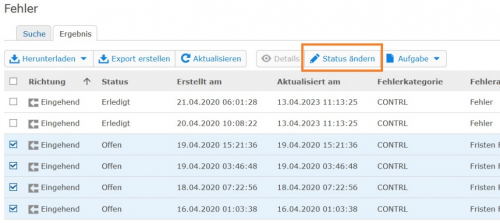
The status of the error is changed to the selected status for all selected errors, regardless of whether they are assigned to a task. If the error is assigned to a task, changing the status of an error does not automatically close the task, this must be done separately.
Alexander Schmidt (07252/96-1554, alexander.schmidt@seeburger.de) will be happy to answer any questions you may have.