
The following refers to the App Administration:
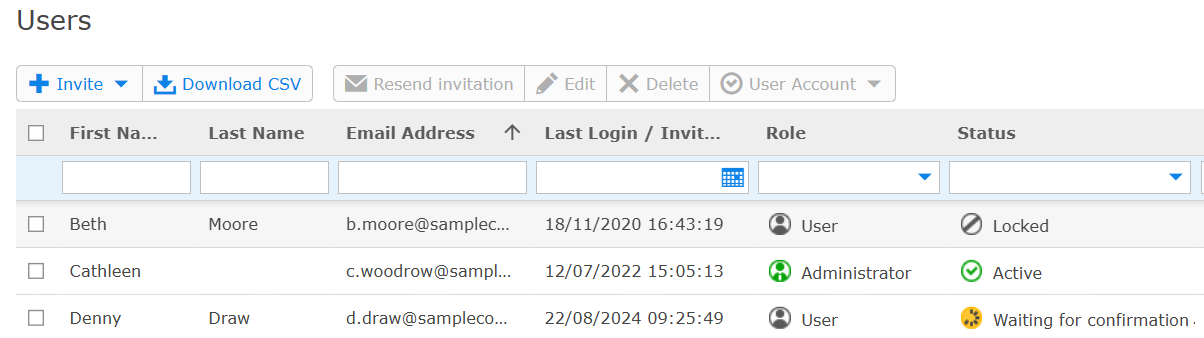
Menu item “Users”: Overview enhanced with “Role” and “Status” columns
The “Users” overview table has been redesigned with the “Status” column split into “Role” and “Status” columns, to provide you with better visibility of the SEEBURGER Customer Portal users settings.
You can find more information in our SEEBURGER Cloud Online Help.
Administration > User Management > Users
Lena Galizia (07252/96-2082, m.galizia@seeburger.com) will be happy to answer any questions you may have.